

Automatic Number Incrementing PDF Bubble Stamps
The good news is that I just rewrote the code to restore all of the features.

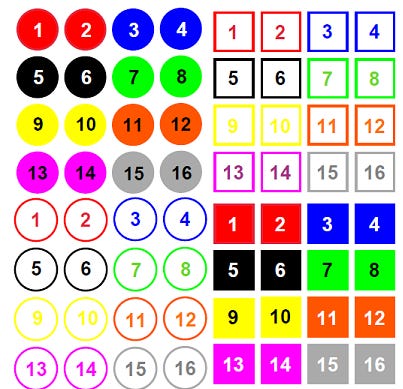
When I first created these stamps I wanted to provide a wide-ranging solution for anyone who marks up PDFs with incremental numbers, so I loaded them with features. I didn’t know that they would eventually become one of my biggest selling products. I’ve been selling these for over five years so I don’t know how many are in use right now, but one of the features stopped working about a month ago after an Adobe Acrobat and Reader update. That’s the bad news.

“The good news is that I just rewrote the code to restore all of the features.”
The stamps didn’t stop working, except for the sizing feature (this also continued to work as long as the stamp file was open). If you always use the default size you have nothing to worry about. If you own any of these stamps, reach out to me and I’ll re-activate your download link so you can restore all features.
Stamp Features
Works with Acrobat, Standard, and Reader.
Reasonably priced at $40 each, or all five for $99 (50% saving).
Number tracking is document-specific, not global. That means you can open any PDF you’ve been stamping and pickup where you left off.
Number prefix feature. Example: A-1, A-2, A-3.
Select from five different default sizes. Change the size at any point in the process.
Five unique stamps: Solid Circle, Hollow Circle*, Solid Square, Hollow Square, and Solid Hexagon. (*most popular)
Eight colors for each stamp.
Ability to reset the next number at any time via a custom toolbar button or menu item.
Works on encrypted documents (unless commenting is prevented - but then you wouldn’t be able to stamp it anyway).
How Did I Fix The Code?
Any stamps I created that manipulate the stamp after it is placed were affected by Adobe’s security update. For example, stamps that automatically:
Change the size
Set the opacity
Position the stamp on the page
Copy the stamp to multiple pages
Change the author
Flatten the stamp
Lock the stamp
It’s the first bullet point that affected the number incrementing stamps.
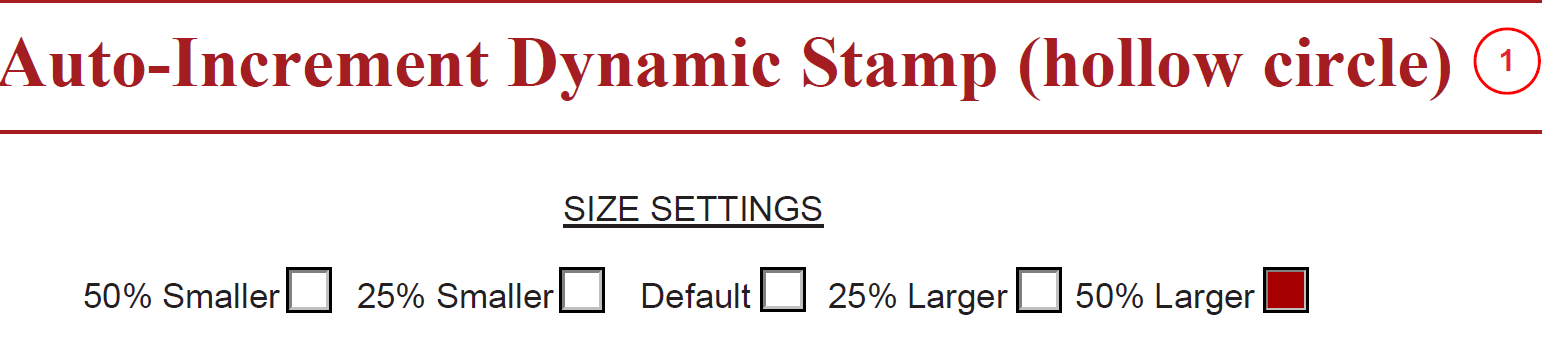
The feature wouldn’t work unless the stamp file was open. I could’ve simply added instructions to always have the stamp file open if you’re using any size except the default. There’s a few problems with that solution. Most users rarely go into the stamp folder once they’ve installed the stamp so it’s not always easy to find. There’s also a lot of drilling down through folders to get to it. My suggest would be to place a shortcut to this folder on the desktop, but then you have to remember to open the stamp file - not a seamless operation.
I experimented with forcing the stamp file open whenever the stamp is applied. When the phrase this is used in a calculation script of a stamp file, the document object it refers to is the stamp file, not the document being stamped. So it was easy enough to forced the stamp file open with this simply line of code:
app.openDoc(this.path);While this worked, it was problematic because the stamp file would appear on the screen and take the focus. The user would have to click the other tab to get back to the document being stamped and see the result.
Next I set the bHidden parameter of the app.openDoc method to true to “hide” the open stamp file. It doesn’t actually hide it, it opens it in another window (even if your preferences are set to open PDFs in another tab of the same window). All this did was force the user to go back to another window instead of another tab.
Next, I added a script to put the document being stamped into focus. The stamp file document object is this during the stamping process. The stamping document object is event.source.source. So I added another line of code to keep the focus on the stamping document.
app.openDoc({cPath:this.path, bHidden:true}); event.source.source.bringToFront();It’s getting better but there is still the issue of an open PDF in another window that the user didn’t open. What if open the stamp file, set the focus to the document being stamped, run the sizing script, then close the stamp file?
var stmpFile=app.openDoc({cPath:this.path, bHidden:true}); event.source.source.bringToFront();
// Run the script that requires the stamp file to be open.
stmpFile.closeDoc(true);
I thought that should do it, but unfortunately, the results were too inconsistent. With keep tool selected turned on so I could stamp numbers in quick succession, the opening and closing of the stamp file in the middle of the script was causing poor results. If I slowed it down I could get perfect results, but that defeats the whole purpose of a tool like this - time saving.
The script was going to have to open the stamp file once and leave it open until the user decided to close it. Because the file is opened with a script in a stamp file calculation, when the file is closed the Save Changes prompt will appear. If the user selects Yes, the file can’t be saved without changing the path or the name of the file. There’s no need to save changes to the file so No should be selected.
Users with software that doesn’t have the security update, and users that have the stamp size set to the default, do not need the stamp file to be open. Things will work as they have for at least five years, so I added these conditions to the script, as well as whether the stamp file is already open, before opening it.
//function to test whether the stamp file is open
function actDocs_20()
{
for( i in app.activeDocs)
{
if(app.activeDocs[i].documentFileName==this.documentFileName)
{return true;break;}
}
}
//the function above returns true if the stamp file is open.
if(Number(app.formsVersion)>25.00120997 && size!="default" && !actDocs_20())
{app.openDoc({cPath:this.path, bHidden:true}); event.source.source.bringToFront();}

/*  The two lines above in English:  if the Adobe version has the security update, AND,
the size is anything but the default, AND the stamp file is not already open:  Open the stamp file
in another window, and set the focus on the document being stamped. */
If you’re a novice at JavaScript for Acrobat and would like to learn the skill, consider taking my online course.
